How to Fix "unable to get local issuer certificate"
The "unable to get local issuer certificate" error means your client can't verify the SSL chain up to a trusted root. Here's what causes it and how to fix it in curl, Git, Node, Python — or on your own server.
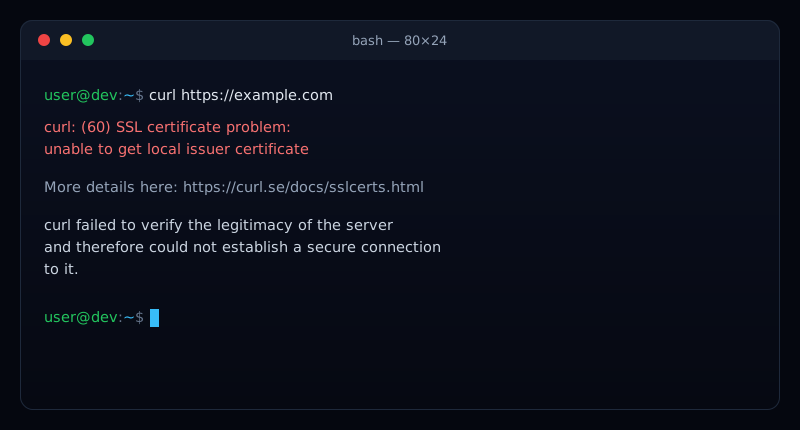
You ran a curl, a git clone, an npm install, or a Python script, and it stopped with: unable to get local issuer certificate. It's one of the most common SSL errors developers hit — and unlike a browser warning, it silently breaks scripts, builds, and deployments.
The good news: it almost always comes down to one thing — a broken or incomplete certificate chain. This guide explains what that means, then gives you the exact fix for each tool, plus the server-side fix if the site is yours.
What "unable to get local issuer certificate" means
A trusted HTTPS certificate isn't a single file — it's a chain. The server's certificate is signed by an intermediate certificate authority (CA), which is in turn signed by a root CA that your system already trusts. To verify a connection, your client has to walk that chain all the way up to a trusted root.
This error means that walk failed: the client couldn't find the issuer (the next certificate up the chain) to complete the path to a trusted root.Either the server didn't send the full chain, or your machine doesn't have the CA certificates it needs to check it. The same root cause surfaces under different names depending on the tool — SSL certificate_verify_failed in Python, curl failed to verify the legitimacy of the server, or self signed certificate in certificate chain.
Browser works but curl doesn't?
curl or your CI runner. That points squarely at a missing intermediate on the server.The most common causes
- The server isn't sending the full chain. It serves only its own (leaf) certificate and omits the intermediate — the single most common cause.
- A missing or outdated CA bundle. Your OS or language runtime doesn't have the root certificates, common on minimal Docker images (like
alpine) and old systems. - A self-signed certificate. An internal or staging service uses a cert no public CA vouches for.
- A corporate proxy or firewall. Something is intercepting TLS and re-signing traffic with a private root your tools don't trust (Zscaler, a company MITM proxy).
- A wrong system clock. A badly-set date makes valid certificates appear expired or not-yet-valid.
First, see what the server actually sends
Before changing anything, confirm whether the problem is the server or your machine. The fastest check is our free SSL Certificate Checker — it flags a broken or incomplete chain instantly. Or from a terminal:
openssl s_client -connect example.com:443 -servername example.comLook at the Certificate chain block at the top. If you only see the leaf certificate (depth 0) and no intermediate (depth 1), the server is misconfigured — the fix belongs on the server. If the full chain is present, the problem is your local trust store.
If the site is yours — the real fix
The permanent fix is to serve the full chain: your leaf certificate plus the intermediate(s), in order. Most CAs give you a bundle for exactly this.
- Let's Encrypt / Certbot: point your server at
fullchain.pem, notcert.pem. This is the #1 cause of the error and the #1 fix. - Nginx: concatenate leaf + intermediate into one file and reference it with
ssl_certificate. - Apache: set
SSLCertificateFileto the full-chain file (modern Apache), or add the intermediate viaSSLCertificateChainFile.
Reload the server, then re-check with the SSL checker or:
# Should end with: Verify return code: 0 (ok)
openssl s_client -connect example.com:443 -servername example.com </dev/null 2>/dev/null | grep "Verify return code"
If you're the client — fix it per tool
If the server's chain is fine but your machine still fails, its trust store is missing or stale. Fix the store, or point the specific tool at a good CA bundle.
Update the system CA certificates
Start here — it fixes most tools at once:
# Debian / Ubuntu
sudo apt-get update && sudo apt-get install --reinstall ca-certificates

# Alpine (common in Docker)
apk add --no-cache ca-certificates && update-ca-certificates

# RHEL / CentOS / Fedora
sudo update-ca-trust
curl
curl --cacert /path/to/ca-bundle.crt https://example.comGit
git config --global http.sslCAInfo /path/to/ca-bundle.crtNode.js
# Point Node at extra CA certs (works for npm too)
export NODE_EXTRA_CA_CERTS=/path/to/ca-bundle.crt
Python
# requests / most libraries read these
export REQUESTS_CA_BUNDLE=/path/to/ca-bundle.crt
export SSL_CERT_FILE=/path/to/ca-bundle.crt

# or install Mozilla's bundle
pip install --upgrade certifi
Don't just disable verification
curl -k, git config http.sslVerify false, or NODE_TLS_REJECT_UNAUTHORIZED=0. These make the error vanish by turning off the security check entirely — leaving you open to man-in-the-middle attacks. Use them only for a throwaway local test, never in production or CI.Special case: self-signed certificates
If you deliberately use a self-signed certificate (an internal tool, a staging box), no public CA will ever vouch for it — so the fix is to add your certificate to the trust store rather than to disable verification. Export the cert, add it to the system CA store (or the per-tool bundle above), and the error goes away while verification stays on for everything else.
How to stop it happening again
On the server side, a broken chain is sneaky: it often appears only after a renewal swaps in a certificate without the intermediate, and browsers can mask it — so the first sign is a failing API call, a broken webhook, or a CI job that suddenly can't reach your endpoint.
That's what Uptura's SSL monitoringcatches: it validates the full certificate chain around the clock and alerts you the moment a cert expires, changes issuer, or stops serving a complete chain — before it breaks a single integration. It's free.
Chasing a different certificate error? See our guides on fixing NET::ERR_CERT_COMMON_NAME_INVALID and “DNS server not responding”.