How to Fix DNS_PROBE_FINISHED_NXDOMAIN in Chrome
DNS_PROBE_FINISHED_NXDOMAIN means the domain you're visiting couldn't be found in DNS. Here's what the error means and how to fix it on Windows, Mac, Android — plus what to check if the site is yours.
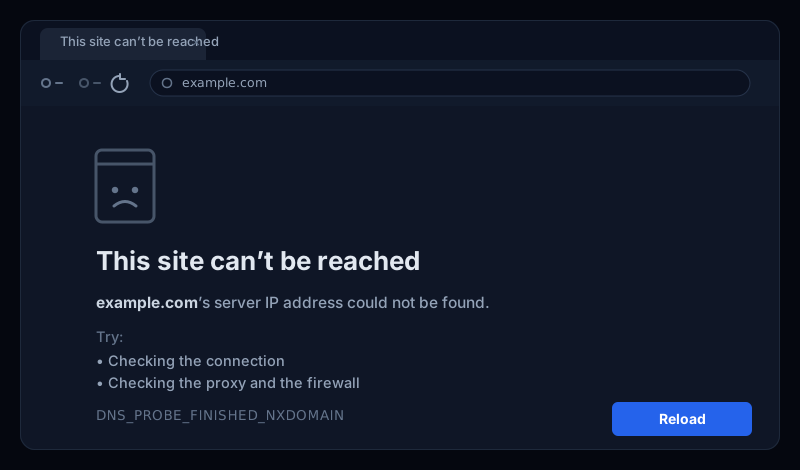
You clicked a link and Chrome stopped you cold: This site can't be reached, with DNS_PROBE_FINISHED_NXDOMAINunderneath. It looks cryptic, but it's pointing at one specific step that failed — and in most cases you can fix it in a minute or two.
This guide covers what the error means, the quickest fixes if you're just trying to open a site, the per-device steps for Windows, Mac and Android, and what to check if the site is yours.
What DNS_PROBE_FINISHED_NXDOMAIN means
NXDOMAIN is short for non-existent domain. When you visit a site, your device asks a DNS server to turn the domain name into an IP address. If that lookup comes back saying “no such domain”, Chrome reports DNS_PROBE_FINISHED_NXDOMAIN— it finished the DNS probe, and the answer was that the name doesn't resolve.
In one sentence: the domain name couldn't be found in DNS.That's usually a small local problem — a typo, a stale cache, or a flaky DNS server — but if the site is yours, it can mean the domain isn't configured to resolve at all. You'll see the same thing described as this site can't be reached or the server IP address could not be found.
One quick test first
The most common causes
- A typo in the address. A mistyped or non-existent domain returns NXDOMAIN by definition.
- A stale DNS cache.Your browser or OS cached an old “not found” answer and keeps serving it.
- A flaky or wrong DNS server. Your ISP's resolver is having trouble, or the network handed out a bad DNS address.
- A VPN, ad-blocker, or hosts file. Something is redirecting or blocking the domain before it resolves.
- The domain genuinely doesn't resolve. If it's your site: the domain expired, an
Arecord is missing, or the nameservers are wrong.
Fastest fixes to try first
- Double-check the URL. Confirm the spelling and that the domain actually exists — retype it rather than trusting autocomplete.
- Try incognito or another browser. This rules out a cached answer or an extension interfering.
- Disable your VPN and ad-blocker. If the page loads with them off, add an exception for that domain.
- Restart your router. Unplug it for 30 seconds — this clears a surprising number of DNS failures.
Clear the DNS cache
A stale cache is the most common fixable cause. Start with Chrome's own cache, then your operating system's.
Chrome's internal DNS cache
Paste this into the address bar, then click Clear host cache:
chrome://net-internals/#dnsWindows
Open Command Prompt as Administrator and run:
ipconfig /flushdns
ipconfig /release
ipconfig /renew
Mac
In Terminal:
sudo dscacheutil -flushcache
sudo killall -HUP mDNSResponder
Android (dns_probe_finished_nxdomain on mobile)
- Toggle Airplane mode on and off.
- Forget and rejoin the Wi-Fi network to clear cached network settings.
- Restart the phone, or clear Chrome's cache in app settings.
Still failing after flushing?
1.1.1.1 or Google 8.8.8.8) resolves most stubborn cases. Our guide on fixing “DNS server not responding” has the step-by-step for changing DNS servers on every device.If the site is yours — the domain doesn't resolve
If visitors get DNS_PROBE_FINISHED_NXDOMAINfor your site — especially from more than one network — the domain isn't resolving, and the fix is on your side. Check what public DNS returns:
# Query a public resolver directly
nslookup example.com 1.1.1.1

# Or with dig
dig example.com A +short
dig example.com NS +short
The usual culprits, in order of likelihood:
- The domain expired. Check your registrar — an expired registration stops all resolution immediately.
- A missing
A/CNAMErecord.The hostname has no address record, so DNS correctly returns “not found.” - Wrong nameservers. The
NSrecords at your registrar don't point at the DNS provider that actually hosts your zone. - A recent change still propagating. A new domain or record can take up to 24–48 hours to resolve everywhere.
How to stop it happening again
For a site owner, the worst version of NXDOMAIN is the silent one: a domain quietly lapses, a record gets deleted, or a nameserver change goes wrong — and the first you hear of it is a customer saying your site “can't be reached.”
Uptura's DNS monitoringwatches your domain's records around the clock and alerts you the moment an A, CNAME, or NSrecord changes or stops resolving — and warns you before the domain expires — so an NXDOMAIN never quietly takes your site offline. It's free.
Troubleshooting a different unreachable-site error? See our guides on “DNS server not responding” and NET::ERR_CERT_COMMON_NAME_INVALID.