How to Fix a 503 Service Unavailable Error
A 503 Service Unavailable means the server is up but temporarily can't handle the request — overloaded, in maintenance, or rate-limiting. Here's what it means, how it differs from 502 and 504, and how to fix it, including the WordPress maintenance case.
A 503 Service Unavailable means the server is up and running — it just can't handle your request right now. Unlike a 502 or 504, where something behind a gateway is broken or slow, a 503 usually comes straight from a healthy server that's deliberately turning requests away: it's overloaded, in maintenance, or rate-limiting. The key word is temporarily.
So the short what is 503 service unavailableanswer: the server understood you and is alive, but is choosing not to serve the request this moment — and expects to be back. This guide explains what it means, how it differs from 502 and 504, and how to fix it whether you're a visitor or you run the site.
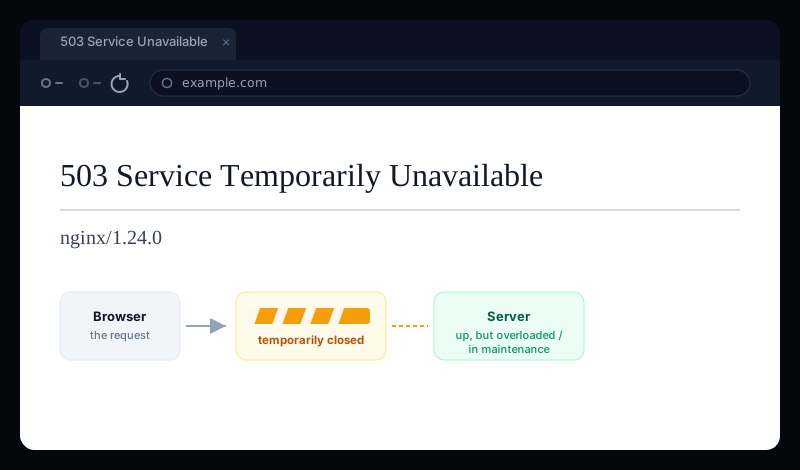
What “503 Service Temporarily Unavailable” means
The full phrase nginx serves is 503 Service Temporarily Unavailable, and every word matters. Service — the server itself is fine. Temporarily — this is expected to pass. Unavailable — it can't take your request right now. So the 503 service temporarily unavailablemeaning is a server saying “I'm alive, but come back in a bit.”
A well-behaved 503 even tells you when to come back, using a Retry-AfterHTTP header (a number of seconds, or a date). That's what separates a 503 from other 5xx errors: it's often intentional and informative, not a crash.
503 vs 502 vs 504 — which one do you have?
All three are 5xx errors, but they describe very different states — and knowing which you have tells you whether anything is actually broken:
- 503 Service Unavailable — the server is up but refusing right now (overloaded, maintenance, rate-limited). Often intentional and temporary.
- 502 Bad Gateway — a gateway got a broken reply from the upstream behind it. Something crashed. (See how to fix a 502 bad gateway.)
- 504 Gateway Timeout — the upstream was too slow and the gateway gave up waiting. (See how to fix a 504 gateway timeout.)
Quick read
If you're just visiting the site
A 503 is almost always temporary and entirely on the server's side, so your options are limited — but simple:
- Wait a minute and reload. A 503 from a traffic spike or a short maintenance window usually clears on its own. If the response included a
Retry-After, that's how long to wait. - Check whether it's just you. If a quick status check shows the site returning 503 everywhere, it's the site's doing — sit tight.
- Try again a little later.If it's planned maintenance, the site is deliberately down and will be back when they're done — nothing on your end will change that.
If the site is yours — how to fix a 503
The first question is whether the 503 is intentional (you or a tool put the site in maintenance) or a symptom (the server is overwhelmed). The fix is completely different, so start there.
1. Is it stuck in maintenance mode?
Frameworks and CMSes flip to a 503 while they update, and sometimes get stuck there. This is the most common self-inflicted 503:
- WordPress — a failed or interrupted update leaves a
.maintenancefile in the site root, which shows “Briefly unavailable for scheduled maintenance” as a 503. A503 service unavailable wordpressfix is usually just deleting that file:rm /var/www/example.com/.maintenance. - Laravel —
php artisan downputs the app in maintenance (503); bring it back withphp artisan up. - A load balancer with no healthy targets can also return a 503 — check that at least one backend is passing its health check.
2. If it's overload — read the logs, then add capacity
An unintentional 503 almost always means the server ran out of room to take another request. On nginx, a 503 service temporarily unavailable nginx often comes from one of these:
- The upstream pool is maxed. If you've set
max_connson upstream servers, or PHP-FPM has no free workers, nginx returns 503 rather than queue forever. Raise PHP-FPM'spm.max_children(with RAM to match) or add app instances. - Rate limiting kicked in. An nginx
limit_reqorlimit_connrule returns 503 by default when a client exceeds the limit. That may be working as intended — or the limit is too tight for real traffic. - The server is genuinely out of resources — CPU pinned, memory exhausted, a database maxing its connection pool. Find the bottleneck (the app and system logs will show it) and either scale up, cache, or fix the query driving the load.
3. Doing planned maintenance? Return a proper 503
If you're taking the site down on purpose, a 503 is the correct status to serve — but do it properly, with a Retry-Afterheader so clients and search engines know it's temporary:
# nginx: serve a maintenance page as a real 503 with Retry-After
location / {
    return 503;
}
error_page 503 /maintenance.html;
location = /maintenance.html {
    add_header Retry-After 3600 always;   # back in ~1 hour
    internal;
}
A 503 protects your SEO — a 500 doesn't
503 with Retry-After, never a 500 or a 200. A 503 tells Google “temporary, come back” and keeps your rankings intact; serving a 200 “down for maintenance” page or a 500 can get the empty page indexed or signal a broken site. This is the one 5xx you sometimes want to return — just return it correctly.A 503 still means visitors can't reach you
Intentional or not, a visitor who hits a 503 Service Unavailablecan't use your site. A brief maintenance window is fine; a server quietly shedding load under traffic it should be handling is not — and that kind of 503 tends to strike at your busiest moment and clear before you ever see it in a dashboard.
Uptura's uptime monitoring checks your site around the clock and treats a 5xx like 503, 502, and 504 as down — confirmed across consecutive checks to avoid false alarms — so a service-unavailable spike pages you within minutes over email or Slack, and again when it recovers. You can also spot-check any URL right now with our free website status checker to see the live status code. Uptura is free.
Chasing a related server error? Our guides on fixing a 502 bad gateway and a 504 gateway timeout cover the broken-upstream and slow-upstream cases.